


NUWA by Tersus: Professional GNSS Field Software
Your All-in-One Solution
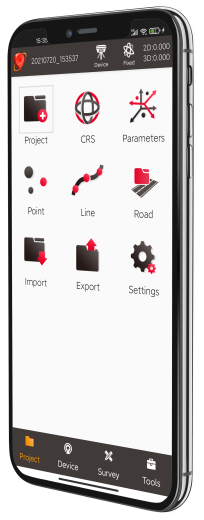
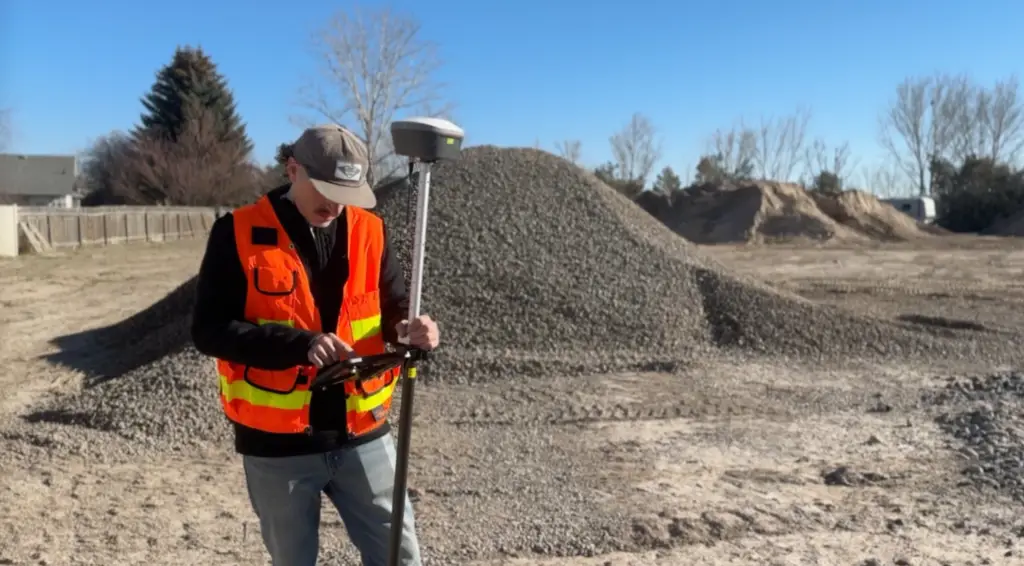
Tersus Nuwa software is a fully-featured, yet intuitive field data collection software designed for surveyors, engineers, drone pilots, and GIS professionals.
Nuwa software comes with every Tersus smart GNSS receiver purchase. Use it with a Tersus
TC40 or TC80 Controller or Android device (Versions 6, 7, and later) with no annual fees.
No Software Cost Barriers
Included with purchased receivers. No licensing or ongoing maintenance fees
Fully Featured Platform
Complete functionality with no artificial feature limitations
Flexible File Compatability
Import and export using common survey and GIS file formats
Expert Technical Support
Hands-on workflow guidance to support integration with Tersus tools.
Video Description
This section has a video showcasing the NUWA software, but it would be helpful to have some content here talking about the video.
More Capability. No Ongoing Costs.
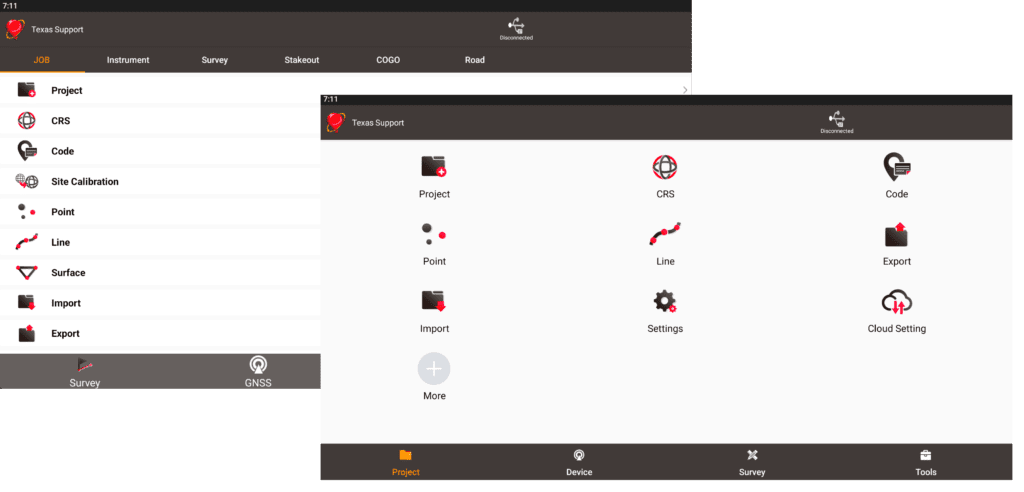
Coordinate Systems Management
Users can quickly select from thousands of standard, predefined coordinate systems, without manual input. You can also create custom coordinate systems and share these via QC codes.
Data Format Flexibility
NUWA comes with powerful data management capabilities. Users can easily import and export data by point type, collection time or other options. NUWA supports popular and comprehensive data formats, such as KML, SHP, DXF, HTML, XML, SIMA, KMZ, NCN, RW5 as well as other customized data formats.
No Software Subscriptions or Maintenance Fees
Every Tersus GNSS receiver purchase includes Nuwa software at no additional cost, ensuring you have the tools you need right from the start. Nuwa is fully compatible with the Tersus TC40 and TC80 Controllers, as well as Android devices running version 6, 7, and later. Best of all, there are no annual fees or hidden charges – your investment in Tersus technology delivers lasting value without recurring expenses.
Precision-Driven Tools for Modern Surveying
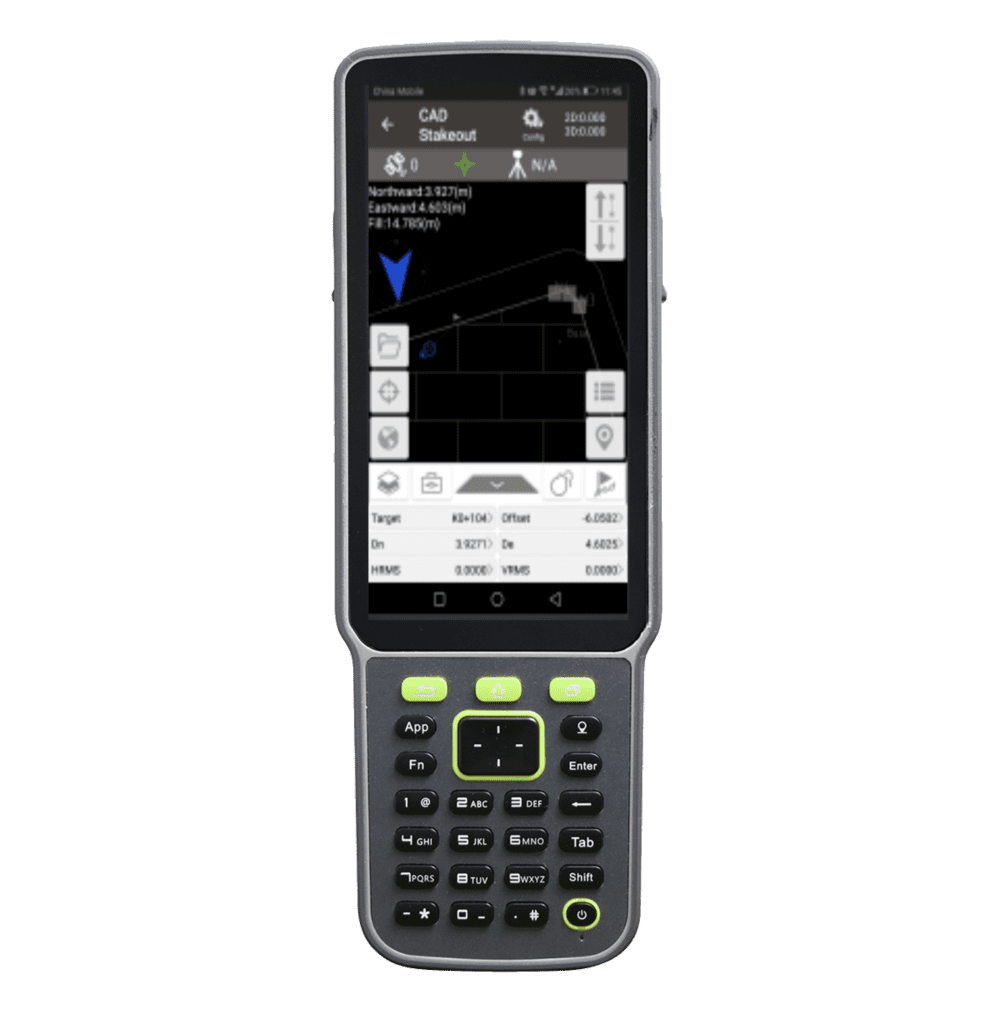
CAD Stakeout
Supports direct import of DWG and DXF files for point selection/polyline stakeout, layer management, block operation, search, distance measurement, area measurement and more.
Road Stakeout
NUWA supports intersection and element methods to edit the road alignments, station equations, vertical profiles, cross sections, super elevation, and widening.
Coordinate Systems and Transformations
NUWA supports coordinate system conversions of seven/three parameter, point correction (four parameter), height fitting and base shift.
Control Survey
Control Survey takes the guesswork out of control by automatically verifying each point before it is accepted.
Attributes and Coding
Existing measurement attribute information can be edited and imported. You can select the attributes of a point with one-click and save it to the database to provide additional references for downstream maps and drawings
Easy Control of Your Smart Receiver
NUWA allows easy adjustment of modes for speed, accuracy, or maximum reliability, to quickly adapt to different job conditions. NUWA also lets users manage satellite constellations, start static logging on the device, use voice prompts, and keep the device’s firmware up to date, all from one easy-to-use interface.
Real-Time Visual Mapping & Stakeout Tools
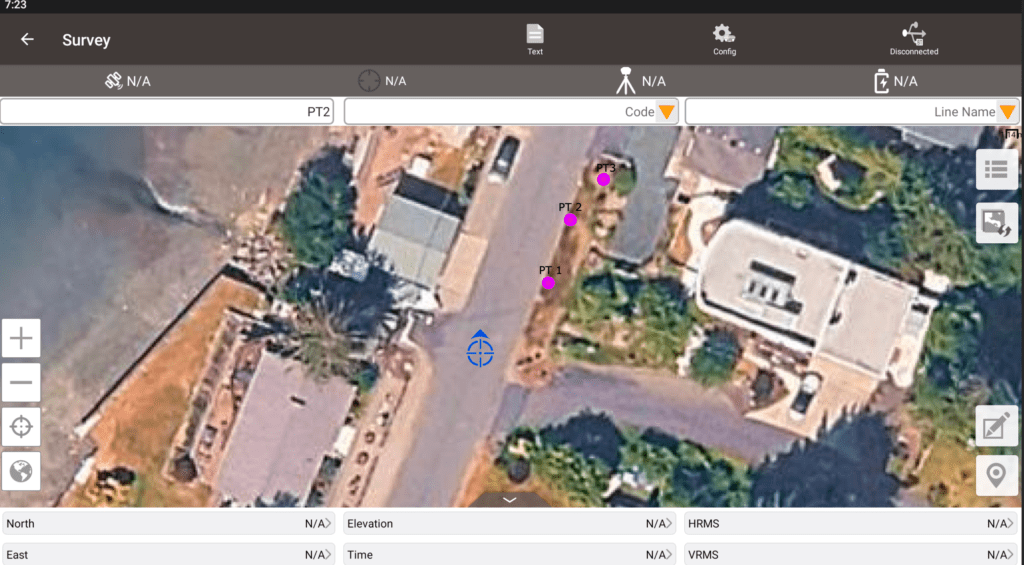
Online Map
Supports online maps like OSM and Google, as well as DXF files.
Stakeout File Overlay
DXF files can be overlaid on online maps. Users can click to select points directly in DXF files for stakeout.
Visualization Settings
You can change your user experience, choosing from different displayed data types, styles, and colors
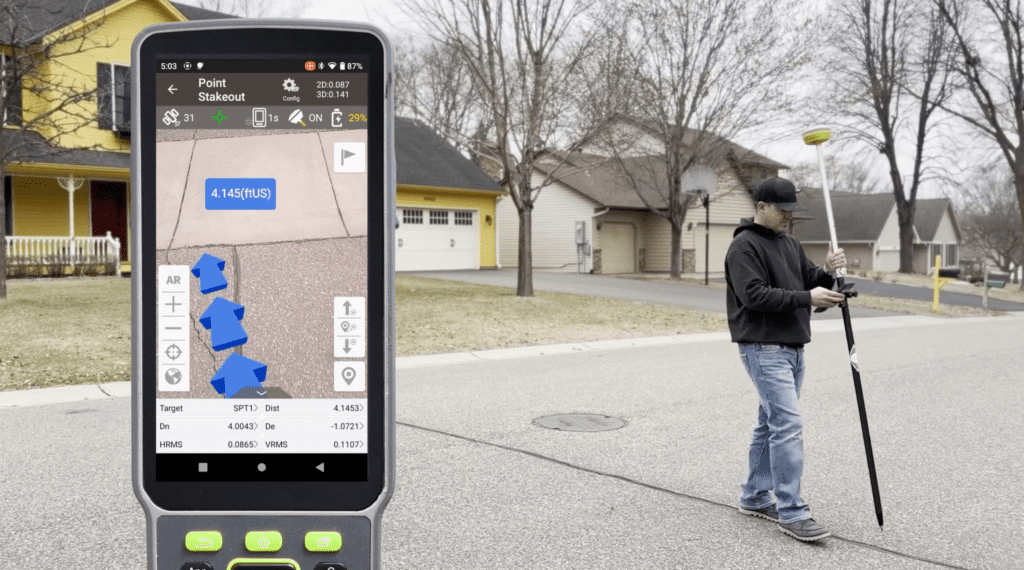
3D Visual Stakeout
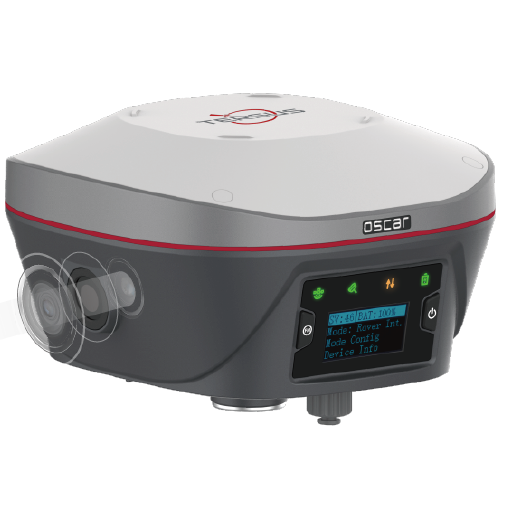
The 3D visualized stakeout function of NUWA speed up the field work in two ways. With the excellent tilt compensation of Oscar GNSS receivers, the screen arrow will direct you to the point (without needing to orient to North first).
When approaching the selected point, you will see a graphic that indicates the position of the survey pole relative to the target.
Online Map
Online Map
Supports online maps like OSM and Google, as well as DXF files.
Stakeout File Overlay
DXF files can be overlaid on online maps. Users can click to select points directly in DXF files for stakeout.
Visualization Settings
You can change your user experience, choosing from different displayed data types, styles, and colors
3D Visual Stakeout
3D Visual Stakeout
The 3D visualized stakeout function of NUWA speed up the field work in two ways. With the excellent tilt compensation of Oscar GNSS receivers, the screen arrow will direct you to the point (without needing to orient to North first).
When approaching the selected point, you will see a graphic that indicates the position of the survey pole relative to the target.
All-in-One Survey Calculation Tools
DCG Geospatial distributes and supports the full Tersus GNSS ecosystem across the United States and Canada, offering reliable, high-accuracy positioning solutions designed for surveying, mapping, and construction professionals.
Measurement
Common functions such as area, perimeter, length, azimuth, and more are supported.
Unknown Point Calculation
Two-point and four-point intersections, offset points, and rotation point calculations all come standard in NUWA.
Angle Calculation
Angle and angle bisector calculations are supported.
Grid to Ground
Converts grid coordinates to true ground values for accurate layout, staking, and earthwork.
Earthwork and Cut/Fill
Combine imported and survey points to automatically compute cut/fill and earthwork volumes.
NUWA + Visual Positioning with the Oscar Trek
Tersus Nuwa software is a fully-featured, yet intuitive field data collection software designed for surveyors, engineers, drone pilots, and GIS professionals.
Nuwa software comes with every Tersus smart GNSS receiver purchase. Use it with a Tersus TC40 or TC80 Controller or Android device (Versions 6, 7, and later) with no annual fees.
World's Fastest Visual Surveying RTK
Oscar Trek processes images in real-time, providing precise coordinates instantly without any extra steps.
Simple Workflow
Pick, check, adjust, and save data easily, reducing time spent on fieldwork and data processing
Multi-Points At a Time
Pick many points in one image and measure, speeds up the entire process, helping you complete projects faster and more efficiently.